
It’s in the godown somewhere: giving every item a rack and shelf address
Stock you cannot find is stock you do not have. How areas, racks and shelves in Stock2Track stop lost sales, speed up online and quick-commerce picking, and make monthly stock audits possible.
A customer walks up to the counter and asks for a 24 cm stainless steel kadai with a glass lid. The salesman checks the display, looks under the counter, calls out to a colleague, and finally says the words every shop owner hates: "Sorry sir, it's finished." The customer leaves. Three days later, during a clean-up, someone finds four of those kadais on the top shelf of the godown, behind a stack of pressure cooker cartons.
Nothing was stolen. Nothing was out of stock. The kadai simply had no address.
Now move the same problem to a dark store. A quick-commerce order arrives with six items and a ten-minute promise. The picker finds five of them quickly and spends four minutes hunting for the sixth. The rider is waiting at the door, the clock is running, and the platform does not care why. Either the order goes out late, or the item is marked unavailable and the shop loses the sale and some of its rating.
Both stories have the same cause. The software knew how many of an item the business had. Nobody knew where they were.
Stock you cannot find is stock you do not have
Once a shop grows beyond one room, the stock count on the screen and the stock a salesman can actually lay his hands on start to drift apart. A second floor gets added, a godown is rented down the road, reserve stock goes into the loft, a festive delivery is stacked wherever there is space. Each move makes sense on the day. Six months later, only the person who put the goods away knows where they are, and he is on leave.
The cost does not show up anywhere as a line item. It shows up as small, quiet leaks: a sale lost because the item "wasn't there"; a fresh purchase order for something already in the godown; dead stock that nobody sells because nobody sees it; staff time spent searching instead of serving; and, for online orders, late dispatches and cancelled items. In a small or mid-sized shop each leak looks minor. Added up over a year, they are easily larger than the cost of the software that would have prevented them.
Give every item an address
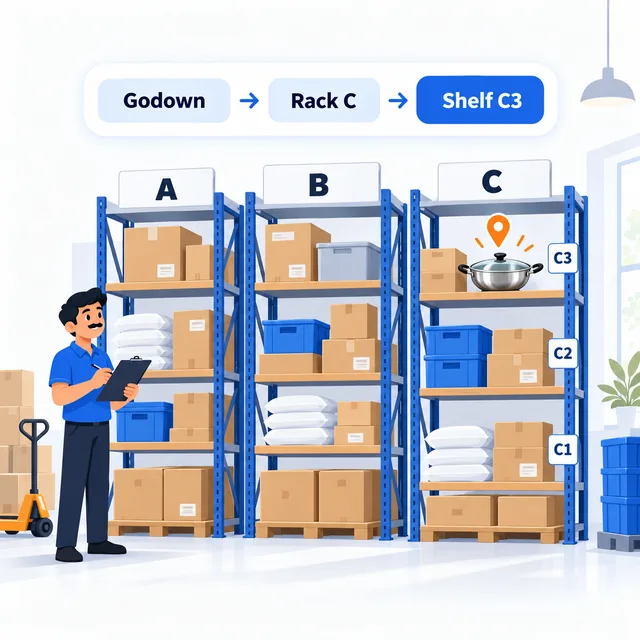
The fix is not complicated, and it is the same idea a library uses. Divide the premises into places, give every place a name, and record which items live where. Stock2Track lets you set this up in three simple levels:
Area or location: the big divisions, such as the ground-floor shop,
the first floor, the main godown, the dark store, or Branch 2.
Rack: a unit inside that area, such as Rack A, Rack B or the steel
almirah by the stairs.
Shelf: a level on that rack, such as A1, A2 or A3.
So the kadai is no longer "somewhere in the godown". It is Main godown → Rack C → Shelf C3. The names are yours. A hardware shop might call its racks by product family; a dark store might number them by aisle so pickers can walk in order. You do not need a warehouse consultant to set it up. A tape measure, a notebook and one Sunday afternoon are usually enough for the first pass.
The address is set when the goods arrive
Addresses only stay correct if they are recorded at the moment goods come in, not months later during a clean-up. In Stock2Track, when you enter a goods receipt against a supplier's bill, you also say where the stock is going: these twenty cartons to the godown, Rack B, Shelf B2; these six pieces to the display rack on the shop floor. The person unloading the van does the putaway, and the system remembers it.
That one habit changes the godown. New stock stops being stacked in "wherever there is space", because every receipt asks for a place. Over a few weeks the premises start to match the screen.
Search an item, walk to the shelf
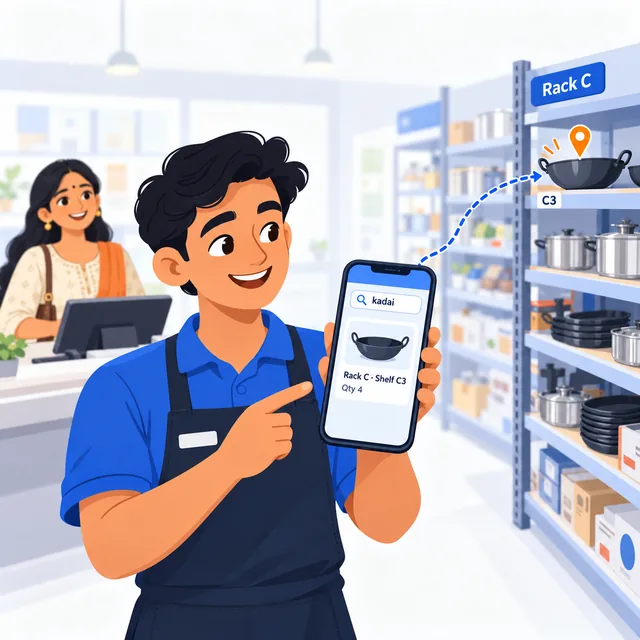
Here is where it pays back. When a customer asks for something, the salesman does not need to remember. He types a few letters of the item name, or scans the barcode, on the Stock2Track mobile app. The phone shows the rack and shelf, along with how much stock is there.
That makes three things possible that were hard before. A new salesman can find stock on his first day, because the knowledge is in the system, not in one senior person's head. The answer "it's finished" is checked before it is said, because the screen shows there are four left in the godown, on Rack C, Shelf C3. And the owner, sitting at home or travelling, can check the same thing from his phone without calling anyone.
Every sale knows where it came from
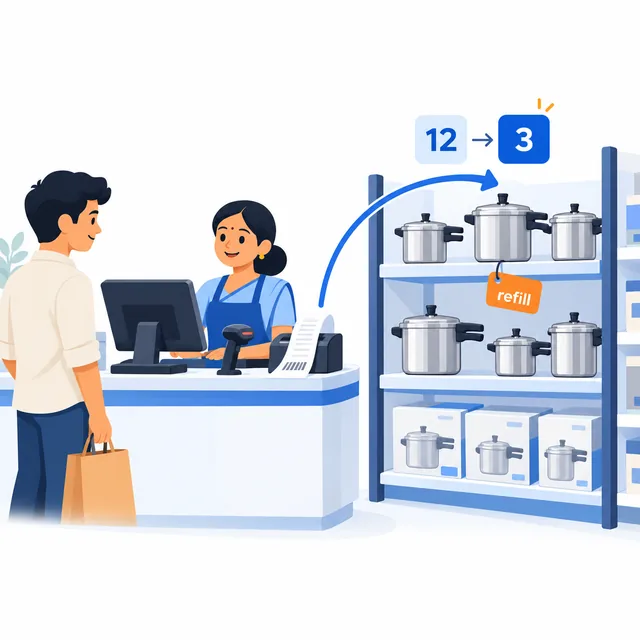
Each item in Stock2Track can have a default location, its home shelf. When the item is billed, the sale is taken from that location automatically. The cashier does not have to choose anything; the counter stays as fast as it was.
The result is that stock is tracked not only for the business as a whole but shelf by shelf. If the display rack on the shop floor started the week with twelve pressure cookers and nine have been billed, the system knows three should be left there, and that it is time to bring more from the godown before the shelf goes empty. A shelf that is supposed to hold three and actually holds one is now a question with a specific place attached, not a vague feeling that "stock is short somewhere".
Online and quick-commerce orders get picked faster
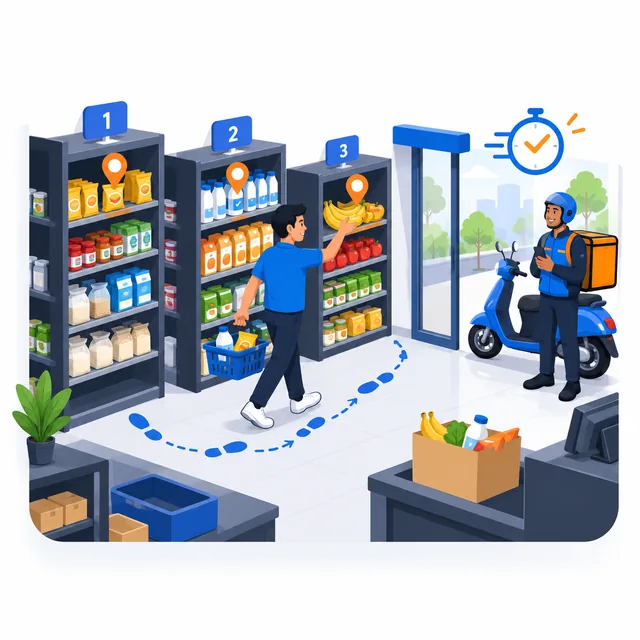
Orders from your own online store, a marketplace or a quick-commerce platform have one thing in common: someone has to walk to the shelf and pick the items, usually against a deadline. When every item has an address, picking becomes walking to known places rather than searching. The picker looks up each item, sees its rack and shelf, collects it, and moves on.
For a dark store, this is the difference between a calm shift and a chaotic one. For a regular shop that also sells online, it means online orders no longer have to wait for the one person who knows where everything is.
What it looked like in a large gift and kitchenware chain
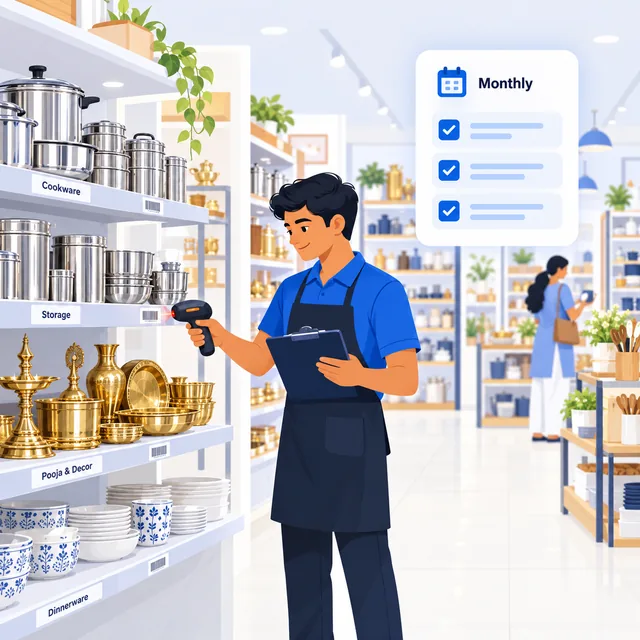
One of our customers runs a chain of more than six large stores selling gift items, metalware and kitchenware. Each store covers more than ten thousand square feet, and between them they carry a very wide range: steel and brass items, utensils, gift sets, decor, and thousands of small pieces that look alike and are easy to misplace.
Before Stock2Track, the owners knew roughly what they had. After it went in, they organised every store into designated racks and shelves, generated barcode labels from the system and fixed them to the stock, and started treating stock verification as a monthly audit, counted shelf by shelf against what the system expected. The result, in their words, was full control over even the smallest item in the store.
There was one more effect that nobody had set out to achieve. When every shelf has an expected count and someone checks it every month, small, quiet losses become much harder to hide. The owners have not measured it, so we will not put a number on it, but their impression is that small internal pilferage came down once the monthly shelf counts began. When everyone knows the shelf will be counted, it changes behaviour.
Start small, then extend
You do not have to map the whole premises in one go. Most shops get the best return by starting with the places where searching hurts most:
First, the godown or storeroom, where reserve stock disappears from view. Second, the fast-moving items, so that the most frequent searches are solved first. Third, look-alike items, such as sizes and variants that staff confuse, which benefit most from a printed shelf label. Once these are done, a monthly shelf-wise count, even for one area at a time, keeps the addresses honest.
The habit matters more than the setup. Record the location when goods arrive, keep the labels on the shelves, and count one area each month. The software does the remembering.
Where Stock2Track fits
Stock2Track is built for exactly this stage of growth: when a shop has outgrown one room and one person's memory, but is not a large company with a warehouse team. Areas, racks and shelves are part of the same system as billing, purchases, barcode labels, the mobile app and online orders, so a location recorded at goods receipt is the same one the salesman sees on his phone and the same one a sale is taken from. Nothing has to be copied between systems, and the counter stays fast. If your business has a layout or a workflow of its own, our engineers can shape the location setup to it, as they have for more than two hundred customised versions of Stock2Track. For the wider problem of screen stock and shelf stock disagreeing, see why the stock on your screen stops matching the shelf, and for labels, our page on barcode label printing.