
Your books are written by the same system that writes your bills
Most shops run billing in one package and accounts in another, then spend the last week of every month making the two agree. Stock2Track keeps the balance sheet, the expenses, the bank entries and the profit reports on the same database as the counter. Nothing gets re-typed, so there is nothing to reconcile.
What is actually in it
Not a ledger bolted on the side. These are screens in the product, in both the Offline and Cloud editions.
Balance sheet, on demand
Pick a start and end date, pick the company, and read the balance sheet for that window. Export it to PDF or Excel to hand to your accountant.
Expenses with categories that mean something
Every expense sits in a category you define. Each category is marked TDS or non-TDS, and can carry an asset depreciation percentage, so capital spend is separated from running cost at the moment you enter it.
Bank receipts and payments
Keep several bank accounts by name and account number, and record receipts and payments against them with a date, a category, a description and an amount.
Expenses against what you invoiced
An expense report and an expenses-versus-invoiced view, so the money going out is read next to the money the shop actually billed, over whatever period you choose.
Profit by product and by customer
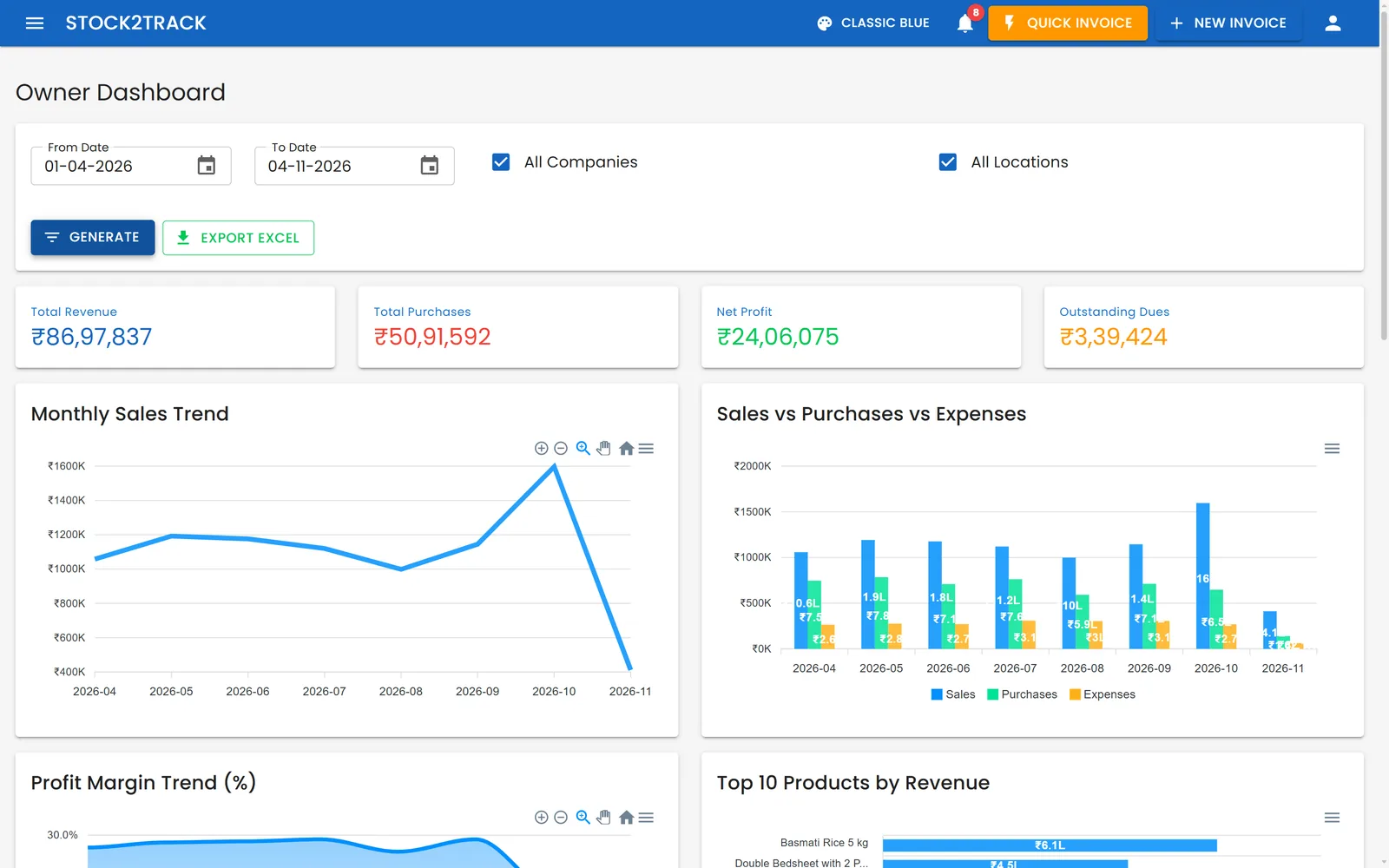
Margin is not one number for the whole shop. Read profit product by product, and customer by customer, over any date range.
It is the same database as the till
The bill written at the counter is the entry the books see. Nothing is exported, re-typed or reconciled between two systems at the end of the month.
The month-end problem it removes
When billing and accounts live in two packages, every sale is entered twice: once by the person at the counter, once by whoever keeps the books. The second entry is where the errors come from, and it always lands at the end of the month when there is least time to find them.
Because the bill and the book entry are the same record here, the question changes. It stops being "do the two systems agree" and becomes "what do the numbers say". That is a better question to be asking on the first of the month.
It does not make your CA redundant, and it is not meant to. What it removes is the re-keying, the month-end reconciliation and the gap between what the shop did and what the books show.
The balance sheet exports to PDF or Excel whenever your accountant wants it, for any date range you pick, so the year-end handover is a file rather than a fortnight.
Questions owners ask
Do I still need separate accounting software?
For the day to day, no. The balance sheet, expenses, bank entries and profit reports are in the same system that writes your bills, so nothing has to be re-keyed. Most shops still hand a year-end set of books to their CA, and the balance sheet exports to PDF or Excel for exactly that.
Does the accounting cost extra?
No. It is part of Stock2Track, not a separate module. Rs 25,000 one-time for Offline or Rs 25,000 a year for Cloud, excluding GST, covers it either way.
Can it handle TDS and depreciation?
Yes. Every expense category is marked TDS or non-TDS, and a category can carry an asset depreciation percentage, so assets are separated from running costs as you enter them rather than at year end.
Can I see what I spent against what I invoiced?
Yes. There is an expenses-versus-invoiced view alongside the expense report, and profit can be read by product and by customer over any date range.
See it with your own numbers
A free 20-minute walkthrough set up with your kind of business. Bring your accountant if you like.